


 By
- Aaliya Yousaf.
 Blog
HR teams run two very different types of work at the same time — recruitment, which is fast-moving and candidate-facing, and employee lifecycle management, which is slower, repeatable, and full of compliance details nobody wants to miss. Most HR teams end up managing both across a mix of spreadsheets, email threads, and whatever their applicant tracking system happens to cover. Asana isn't a replacement for a dedicated ATS or HRIS, but it fills the coordination gap between those systems and the people actually doing the work — and that gap is usually where things get dropped.
Applicant tracking systems and HRIS platforms are built to store records — candidate profiles, employment history, compliance documents. What they're rarely built for is coordinating the humans involved: who needs to interview next, who owns the offer letter, who's overdue on completing onboarding tasks. That coordination layer is exactly where Asana adds value, without duplicating what your existing HR systems already do well.
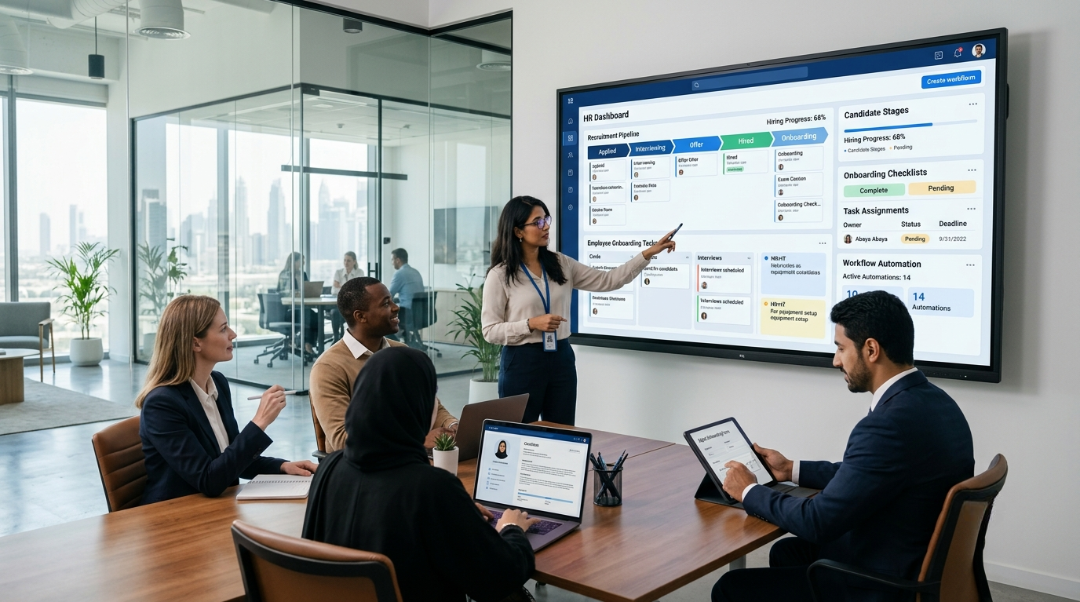
A hiring pipeline is a good fit for Asana's Board view, mirroring the stages a candidate actually moves through — but only if it's built around visibility for everyone involved, not just the recruiter driving it.
Each open position gets its own project with stage-based columns — screening, interviews, offer, closed. This keeps candidate-level detail contained without mixing multiple roles into one confusing board.
Grouping every active hiring project into one portfolio gives HR leadership a single view of time-to-fill and pipeline health across the whole company at once.
Assigning interview tasks to specific hiring managers with due dates removes the "did anyone follow up with this candidate" ambiguity that slows hiring down.
Onboarding fails less often because the plan is wrong and more often because it's inconsistent — one new hire gets IT access on day one, the next waits a week because nobody remembered to submit the request.
A project template covering every onboarding task — IT provisioning, workspace setup, HR paperwork, first-week check-ins — removes that inconsistency entirely. Cross-department tasks (IT setting up accounts, facilities preparing a desk, the hiring manager scheduling a welcome meeting) get assigned automatically the moment a new hire is added, instead of relying on someone remembering to notify each department manually.
Leave requests, letter requests, policy questions — most of this flows through a shared HR inbox that gets treated as a to-do list nobody officially owns. A request intake form changes that dynamic directly:
Offboarding gets far less attention than onboarding, which is exactly backwards from a risk standpoint. A departing employee's system access, equipment return, and knowledge handover all need to happen on a deadline — and unlike onboarding, there's rarely a second chance to get it right if something's missed.
A dedicated offboarding template — mirroring the onboarding structure but focused on access revocation, equipment return, and exit interview scheduling — closes this gap. This is also directly connected to workspace security more broadly, which we cover in our guide to Asana security and data handling: a former employee retaining system access longer than they should is one of the most common, avoidable security gaps.
HR handles more sensitive personal data than almost any other department — salary information, medical details, disciplinary records. Asana should coordinate the workflow around these processes, not store the sensitive content itself. Salary discussions, compliance documents, and medical information belong in your HRIS or a document management system with appropriate access controls, referenced from an Asana task rather than written directly into it.
Project-level permissions also matter here: HR project visibility should be restricted specifically to HR team members and relevant approvers, not left at default workspace-wide visibility just because it's convenient during setup.
Leadership typically cares about a small set of HR metrics: how long roles stay open, how many new hires are mid-onboarding, and whether any onboarding tasks are overdue. A portfolio rolling up all active hiring and onboarding projects answers all three without HR compiling a manual report, echoing the same reporting principle we cover in more depth in our Goals and Portfolios guide.
HR workflows sit right at the intersection of coordination and sensitivity — which is exactly why they need careful setup, not a generic project template applied to a department that handles people's personal data.
We build repeatable pipeline and onboarding structures so every hire follows the same reliable process.
Project permissions and workflow design account for HR's sensitive data needs from the start.
IT, facilities, and HR onboarding tasks get triggered together automatically, so nothing depends on someone remembering to notify another department.
Asana won't replace your ATS or HRIS, and it shouldn't try to. What it does well is coordinate the people-side of HR work — recruitment follow-ups, onboarding consistency, request handling, and offboarding discipline — that most HR teams currently manage through inbox triage and memory. Get that coordination layer right, and the systems you already have work better too.
If your HR team is still onboarding new hires inconsistently, book a free consultation with SassyOS and we'll show you what a properly structured setup looks like.
Core Asana Services
Security & Reporting
Industry Use Cases
Pricing & ROI
We'll build your Asana workspace around a repeatable recruitment pipeline, onboarding checklist, and request intake — set up correctly from day one.
Book a Free Consultation Get in Touch