


 By
- Aaliya Yousaf.
 Blog
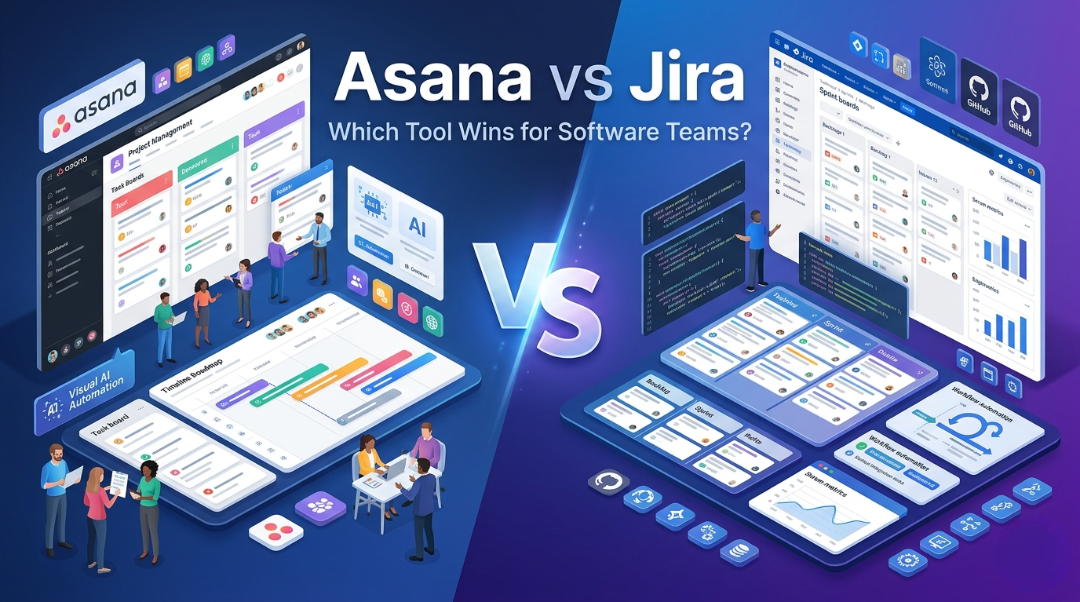
If you're building software, you've almost certainly heard of both Asana and Jira. They are two of the most widely used project management tools in the industry — and for good reason. But when it comes to software development teams specifically, the debate gets heated.
Jira, built by Atlassian, has long been considered the go-to tool for engineering teams. It speaks the language of developers: sprints, backlogs, epics, story points. But times have changed. Asana has evolved significantly and is now winning over development teams who want powerful project management without the complexity — or the hours spent configuring workflows.
In this blog, we break down the Asana vs Jira debate head-to-head, and explain why more software development teams are making the switch to Asana.
Asana is a work management platform designed to help teams organize, track, and manage work. Originally built for general project management, it has grown into a powerful tool for software teams, with features like Timeline (Gantt), Boards, Sprints, Portfolios, and Asana Intelligence (AI).
Jira is a project tracking tool built specifically for software development, with native support for Agile methodologies including Scrum and Kanban. It is part of the Atlassian ecosystem (along with Confluence, Bitbucket, etc.) and is deeply integrated into developer workflows.
| Feature / Category | Asana | Jira |
|---|---|---|
| Primary Audience | Cross-functional & dev teams | Software/engineering teams |
| Learning Curve | Easy — intuitive UI | Steep — complex configuration |
| Agile Support | Yes (Boards, Sprints, Timeline) | Yes (Scrum, Kanban, SAFe) |
| Task Management | Highly visual & flexible | Ticket-based & structured |
| Automation | Built-in, no-code rules | Automation rules (limited free) |
| Reporting and; Dashboards | Real-time, customizable | Advanced but complex |
| Third-party Integrations | 200+ (GitHub, Slack, Figma…) | 300+ (mainly dev tools) |
| Mobile App | Excellent — full-featured | Limited functionality |
| Free Plan | Yes (up to 10 users) | Yes (up to 10 users) |
| Starting Price | $10.99/user/month | $8.15/user/month |
| Customer Support | Fast, responsive, 24/7 | Community-first support |
| Non-dev Team Use | Excellent | Poor |
| Setup Time | Minutes | Hours to days |
| Customization | Forms, rules, fields, views | Deep but complex |
| Feature | Asana | Jira |
|---|---|---|
| Task & Subtask Management | Yes | Yes |
| Multiple Project Views | List, Board, Timeline, Calendar | Board & Backlog only |
| Sprint Planning | Built-in | Native |
| Roadmapping | Timeline View | Requires Roadmaps add-on |
| Workload Management | Yes | Limited |
| Portfolio Management | Yes (Premium+) | No |
| Custom Fields | Yes | Yes |
| Native Time Tracking | Via integration | Yes |
| Git/GitHub Integration | Yes | Yes (deeper) |
| CI/CD Pipeline Visibility | Via integrations | Native |
| AI Features | Asana Intelligence | Limited |
| Guest Access | Yes | Limited |
Here's the truth: Jira was built for a specific era of software development. It assumed all teams were purely engineering-focused, used identical Agile workflows, and had a dedicated Jira admin on hand. That's not most teams today.
Asana has built something better — a platform that supports engineering workflows without locking you into rigid processes.
Modern software development involves designers, marketers, product managers, QA testers, and executives — not just engineers. Asana is intuitive enough for every team member to use without a training manual. Jira, on the other hand, overwhelms non-technical users with its interface.
With Asana, your dev team gets Kanban boards for sprint management, Timeline for roadmapping, List view for task management, and Calendar for deadline tracking — all in one place. Jira's board view is functional, but switching between contexts is clunky.
Asana's built-in AI features — Asana Intelligence — help teams auto-prioritize work, generate status updates, surface blockers, and predict project risks. Jira's AI capabilities are still catching up and require additional configuration.
Asana's no-code automation rules are easy to set up and powerful in practice. You can automate task assignments, status changes, deadline notifications, and more — all without involving an IT admin. Jira's automation requires more technical know-how.
Software teams don't work in silos. With Asana, engineering can collaborate seamlessly with product, design, and marketing — all in the same workspace. This is where Jira fundamentally struggles: it was never designed for non-engineering teams.
Asana's mobile app is polished and full-featured. Your developers and PMs can manage tasks, update statuses, and collaborate on the go. Jira's mobile app is notoriously limited in functionality.
If your team is 100% engineers, uses the full Atlassian suite (Confluence, Bitbucket, etc.), and has the bandwidth to manage a complex tool — Jira can be powerful. But for most modern teams, these benefits don't outweigh the usability gap.
| Plan | Asana Price | Jira Price | Best For |
|---|---|---|---|
| Free | Free (up to 10 users) | Free (up to 10 users) | Small teams |
| Starter / Standard | $10.99/user/month | $8.15/user/month | Growing teams |
| Advanced / Premium | $24.99/user/month | $16.00/user/month | Scaling teams |
| Enterprise | Custom pricing | Custom pricing | Large orgs |
While Jira is slightly cheaper at the entry tier, Asana's value-per-dollar is significantly higher when you factor in the time saved on onboarding, configuration, and cross-team alignment.
| Choose Asana if... | Choose Jira if... |
|---|---|
| You have cross-functional teams (dev + design + marketing) | Your team is 100% engineers |
| You want fast onboarding and easy adoption | You use the full Atlassian stack (Confluence, Bitbucket) |
| You need portfolio and workload management | You need deep CI/CD pipeline visibility |
| You want AI-powered project management | You need native time tracking |
| You manage multiple projects simultaneously | You're a large enterprise with a dedicated Jira admin |
| You need a great mobile experience | You follow strict Scrum methodology at scale |
Jira is a powerful tool — there's no question about that. But it was built for a world where software teams were purely technical, processes were rigid, and complexity was a badge of honor.
Asana was built for the way modern software teams actually work: fast-moving, cross-functional, and results-driven. It gives you everything you need to ship software — sprint management, roadmaps, automation, integrations, and AI — without burying your team in configuration complexity.
For teams that want to move fast, collaborate across departments, and spend more time building product and less time managing their tools, Asana is the clear winner.
We help businesses implement, customize, and get the most out of Asana — from onboarding to advanced workflow automation.
Visit sassyos.com to learn more or book a free consultation today.
