


 By
- Aaliya Yousaf.
 Blog
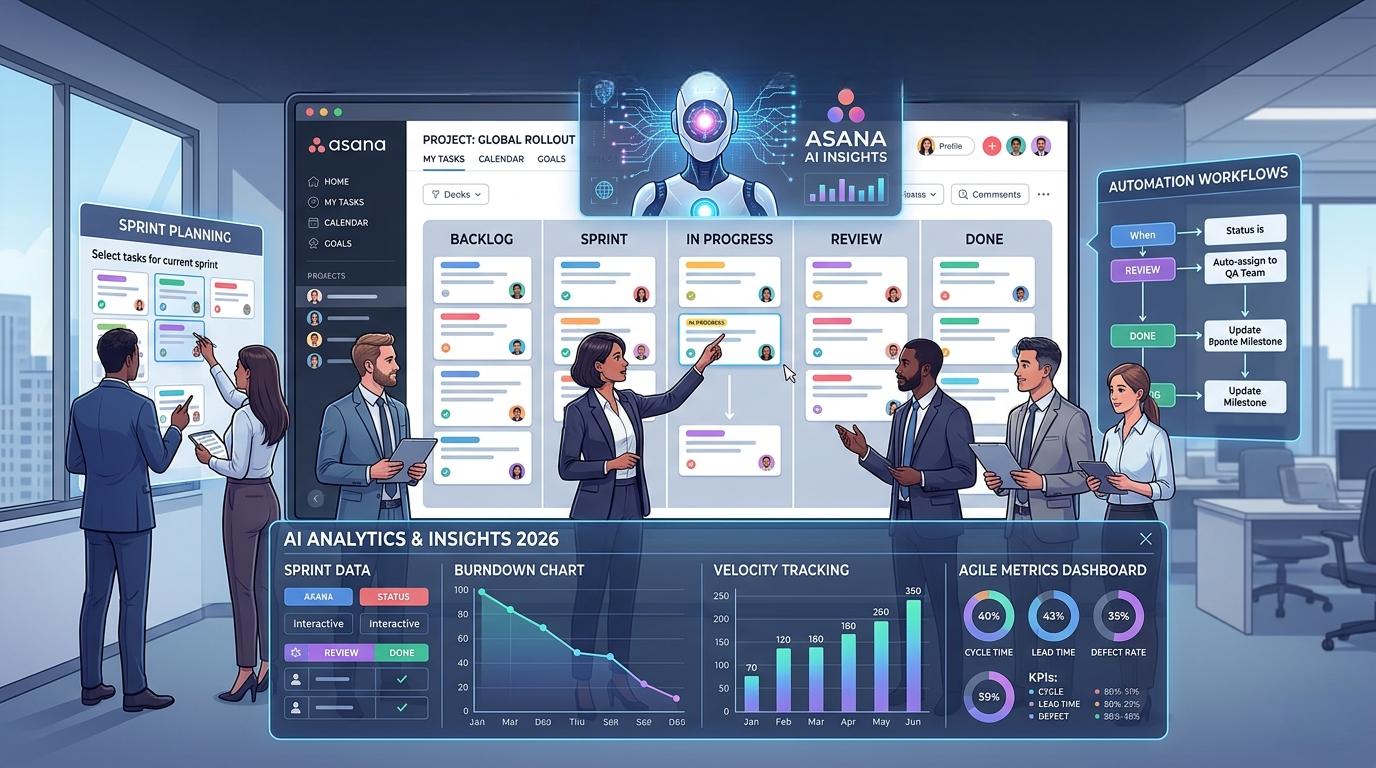
This guide covers everything — from understanding Agile fundamentals to setting up a full Scrum workflow in Asana, running sprints, managing backlogs, tracking velocity, and using Asana's 2026 AI features for Agile teams. Whether you are a Scrum Master, Product Owner, or team member, this is your definitive Asana Agile playbook.
Agile project management has moved from a software development methodology to a universal approach used by marketing teams, HR departments, product teams, operations, and even construction firms across the Middle East and globally. In 2026, teams that are not working in an Agile way are being left behind.
Asana has become one of the most popular tools for Agile project management — and for good reason. It combines the flexibility of Kanban boards, the structure of Scrum sprints, the power of Automated workflows, and the intelligence of AI-driven insights — all in a single, beautifully designed platform.
But simply having Asana installed is not enough. The teams that get extraordinary results from Asana are the ones who know exactly how to configure it for Agile — setting up backlogs correctly, running structured sprints, using automation to eliminate manual work, and tracking the metrics that actually matter.
This guide is your complete, step-by-step playbook for doing exactly that. We will walk you through every stage of the Agile process in Asana — from workspace setup to retrospective tracking — so your team can move faster, collaborate better, and ship more.
As the official Asana Solution Partner in the Middle East, SassyOS has implemented Agile workflows in Asana for teams across the UAE, Saudi Arabia, Egypt, and the wider GCC. The steps and recommendations in this guide are drawn directly from real-world Agile implementations with our clients.
Agile is a Project management philosophy built on four core values, published in the Agile Manifesto (2001):
In practical terms, Agile breaks large projects into short, time-boxed work cycles called sprints — typically 1 to 4 weeks long. At the end of each sprint, the team reviews what was completed, reflects on what could be improved, and plans the next sprint with updated priorities.
| Aspect | Agile (Asana) | Traditional / Waterfall |
|---|---|---|
| Planning Style | Iterative — plan sprint by sprint | Linear — plan everything upfront |
| Flexibility | High — change priorities anytime | Low — changes are costly and slow |
| Delivery | Frequent, incremental deliveries | Single delivery at project end |
| Team collaboration | Daily standups, continuous feedback | Formal milestone reviews |
| Risk management | Risks identified early each sprint | Risks surface late in the project |
| Customer Involvement | Continuous — feedback every sprint | Minimal until final delivery |
| Best For | Fast-moving teams, evolving requirements | Fixed-scope, compliance-heavy projects |
| Framework | Best For | Key Feature in Asana | Sprint Length |
|---|---|---|---|
| Scrum | Software dev, product teams | Sprint boards, backlog, Velocity tracking | 1–4 weeks |
| Kanban | Operations, support, marketing | Kanban board view, WIP limits via Custom Fields | Continuous flow |
| Scrumban | Teams transitioning from Waterfall | Hybrid board with sprint milestones | Flexible |
Before your team runs a single sprint, your Asana workspace needs to be configured correctly. A poorly set up workspace creates confusion, duplicate work, and missed tasks. Follow these steps to build a solid Agile foundation.
Asana's Template Library has pre-built Agile templates including Sprint planning, Scrum Board, Product Backlog, and Retrospective templates. Using these as a starting point saves hours of setup time. Access them from: Create Project → Use a Template → search 'Agile' or 'Sprint'.
The product backlog is the heart of your Agile workflow — a prioritized list of everything your team needs to build, fix, or improve. In Asana, a well-managed backlog is the difference between smooth sprint planning and chaotic, disorganized sprints.
| Item Type | What It Is | Example in Asana | Typical Size |
|---|---|---|---|
| Epic | Large feature or initiative spanning multiple sprints | Section in backlog project | Weeks to months |
| User Story | Small, user-focused feature or requirement | Task in backlog | 1 sprint max |
| Sub-task | Specific technical work inside a User Story | Subtask under task | Hours to days |
| Bug | Defect or issue requiring a fix | Task with 'Bug' label | Hours to days |
| Spike | Research or investigation task | Task with 'Spike' label | 1-2 days |
Agile project management is not just a methodology — it is a competitive advantage. Teams that run structured, data-driven Agile sprints in Asana consistently deliver more, burn out less, and respond to change faster than teams still stuck in spreadsheets and email threads.
The steps in this guide give you everything you need to go from zero to a fully functioning Agile team in Asana: from workspace setup and product backlog structure, to sprint planning, daily standups, Automation, AI-powered insights, and retrospective tracking.
The most important step is simply to start. Pick one sprint, set it up in Asana using this guide, and run it for two weeks. The improvement in your team's clarity, velocity, and communication will be immediately visible.
As the official Asana Solution Partner in the Middle East, we'll configure your entire Agile workspace, train your Scrum team, and set up automation — so you can focus on building great products.
Get a Free Agile Assessment → www.sassyos.com | info@sassyos.com
