


 By
- Aaliya Yousaf.
 Blog
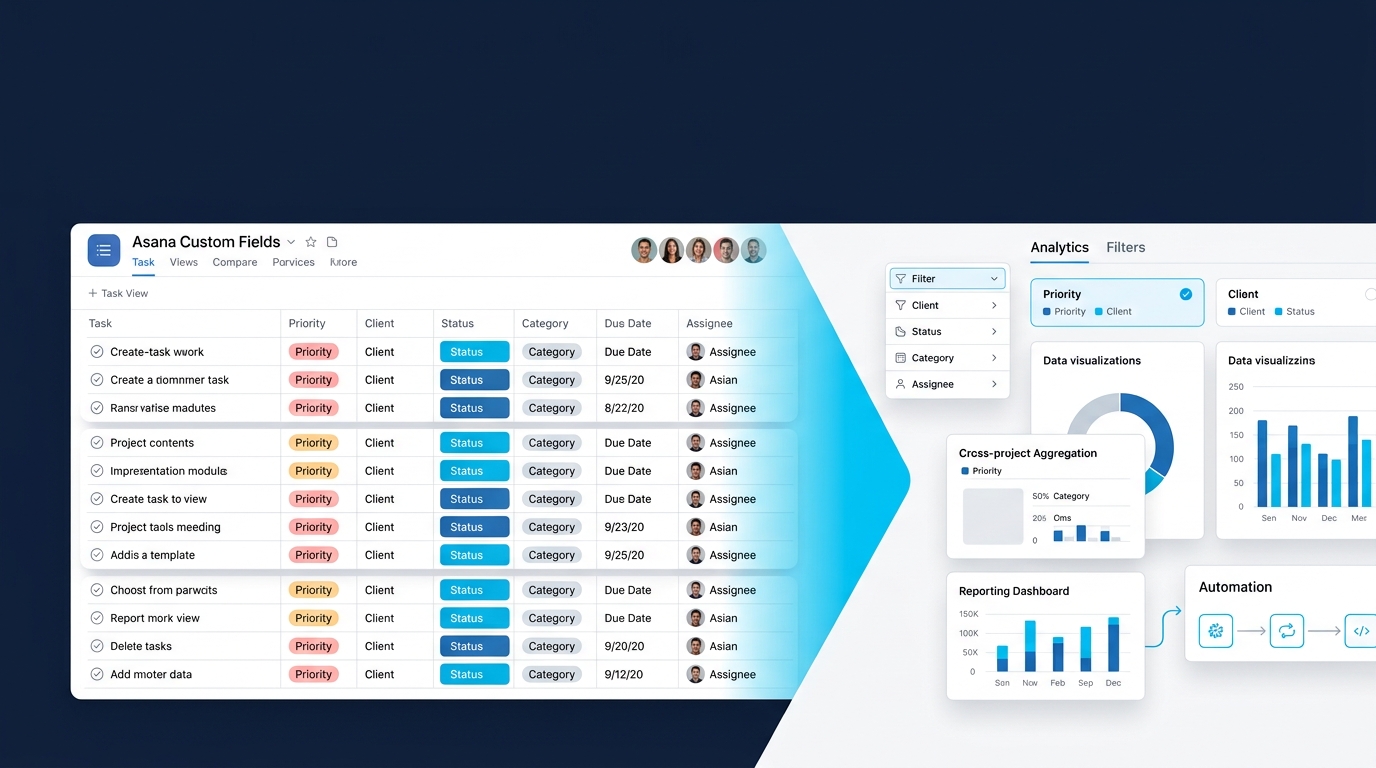
A task with just a title and a due date tells you almost nothing at scale. Is it urgent? Which client is it for? What stage is it at? Custom fields are what answer those questions consistently across every task in a project — and they're also one of the most commonly under-configured features we see, usually because teams add a field or two early on and never revisit the structure as the workspace grows.
The test for whether a custom field is worth adding isn't "might this be useful information" — almost everything passes that bar. The real test is whether someone will actually filter, sort, or report on it later. Fields that exist but never get used for anything just add friction to creating a task, without adding any value back. Good custom field design starts from the report you want to run, then works backward to the fields that make it possible.
The single most useful habit in custom field design is working backward from the question leadership will eventually ask. If someone will eventually want to know "how many overdue tasks are tagged as high priority across all client accounts," that question requires exactly two fields to exist: a priority field and a client field. Adding fields speculatively, without a specific downstream question in mind, is how workspaces end up with a dozen fields nobody actually filters by.
Fields can be built as project-specific, existing only in one project, or as shared fields available across every project in a workspace. This distinction matters more than it first appears: shared fields — like a company-wide priority scale or department tag — enable cross-project reporting through portfolios, the pattern covered in more depth in our Goals and Portfolios guide. Project-specific fields work well for detail that's genuinely unique to one workflow, like a construction site's permit status, but they can't be rolled up into a company-wide view the way shared fields can.
Custom fields become significantly more powerful once they trigger automation rather than just displaying information passively. A priority field set to "urgent" can automatically assign a task to a specific person, set a shorter due date, or send a notification — turning a field from passive metadata into an active part of the workflow. This is the same principle covered in our Asana Forms guide, where form-submitted field values drive routing and assignment automatically.
Contractor name, permit status, and inspection date — covered in our construction and real estate guide.
A scope-origin field marking in-scope versus add-on work — detailed in our professional services guide.
Shipment ID, carrier, and delay reason — part of the exception-tracking pattern in our logistics guide.
Outlet location and store format tags, enabling regional filtering — from our retail operations guide.
Custom field design is one of the quieter details that determines whether a workspace's reporting is actually reliable months down the line, which is why we treat it as a deliberate step in every implementation rather than an afterthought.
We identify what leadership will actually want to report on, then build only the fields that make it possible.
We set up shared fields consistently across projects, so portfolio-level reporting actually works.
Where it adds value, we connect field selections directly to routing and assignment rules.
Custom fields are what turn a list of tasks into data you can actually act on — but only the ones designed backward from a real report someone will run. Add fields speculatively, and they become friction nobody bothers filling in accurately. Design them around the question you'll eventually need to answer, and reporting stops being a manual exercise months down the line.
If your workspace has fields nobody actually uses, book a free consultation with SassyOS and we'll help you redesign a structure that actually gets filled in.
Core Asana Services
Feature Guides
Industry Use Cases
We'll redesign your field structure backward from the reports your leadership actually needs — not speculative data nobody fills in.
Book a Free Consultation Get in Touch